4. Agent access
Let a headless agent in without giving it a person's credential.
An agent authenticates as a service principal — an identity that belongs to a service rather than a person. Nothing about creating one changes here. The gateway adds exactly one step: binding the service principal to it.
What an agent needs
| Step | Where |
|---|---|
| 1. A service principal and its API key | Account Settings → User Management → Service Principals, as for any other use. |
| 2. Bound to this gateway | AI Gateway → Overview → Bound service principals |
| 3. Access to a model | The model's Permissions tab. See Permissions. |
On the Overview, the A headless agent card has a Set up an agent button. It opens the gateway's own sign-in page on its Agents tab, which repeats these steps.
Bind a service principal
- On the AI Gateway Overview, scroll to Bound service principals and choose Bind service principals.
- Pick one or more. Principals already bound are not listed.
- Choose Bind.
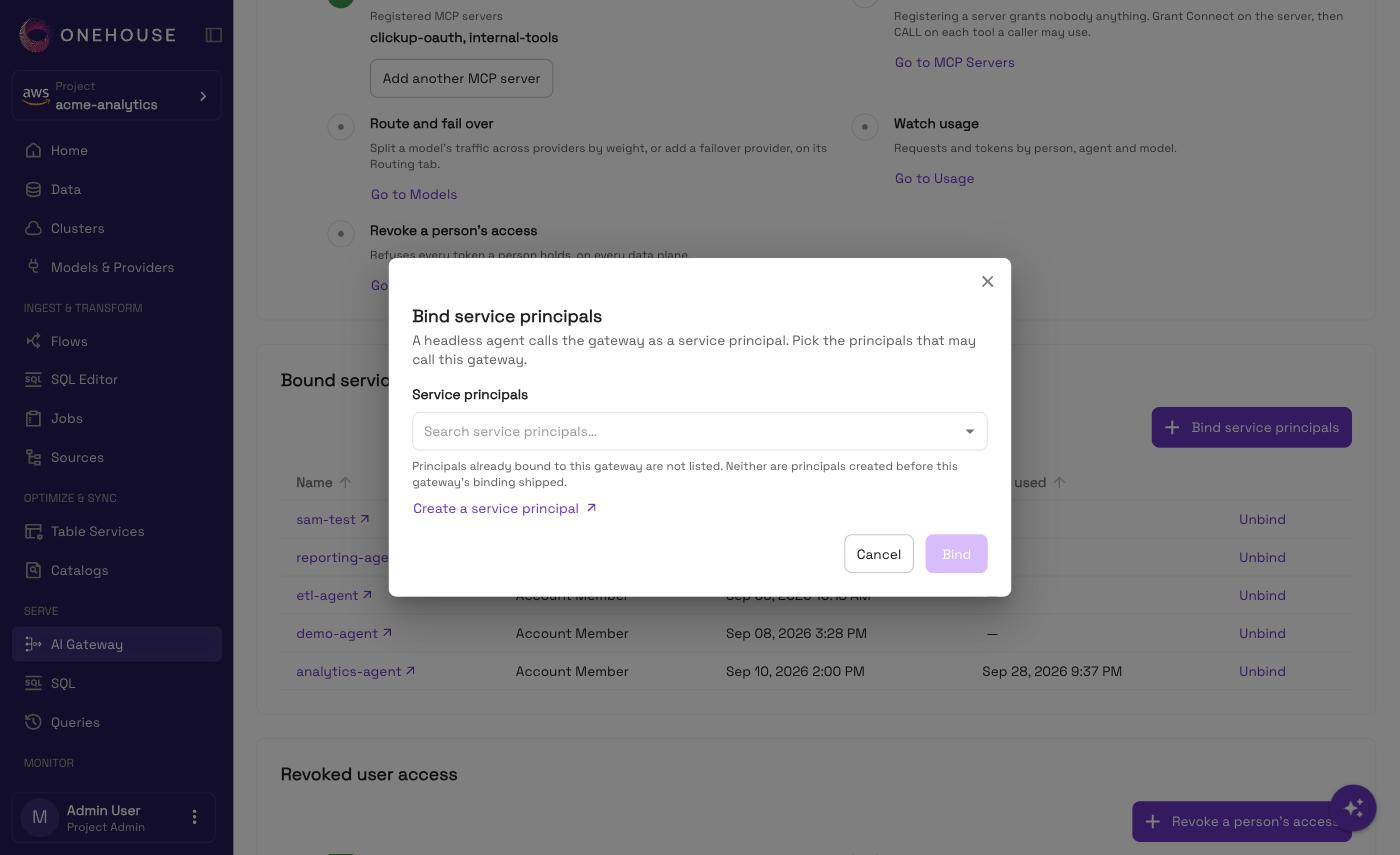
The picker hides principals that cannot be bound. If the one you want is missing, create a new one — the dialog links you to where.
Only project admins and account admins can bind and unbind. You can bind only once the gateway is deployed.
The bound list shows each principal's name, its account role, when it was bound, and when it last called.
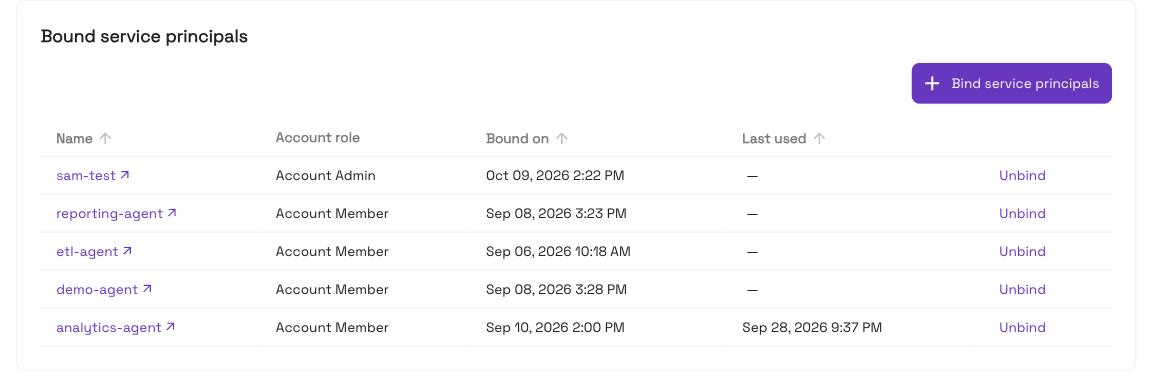
A token minted before the binding exists starts working once the binding lands. You do not need to re-issue anything.
Get the agent a token
The agent swaps its API key and secret for a short-lived gateway token, then calls with it. The key is the client_id and the secret is the client_secret.
export SP_KEY="<service-principal key>"
export SP_SECRET="<service-principal secret>"

TOKEN=$(curl -sSf https://ai-gateway-<id>.dp.onehouse.ai/login/token \
  --data-urlencode "client_id=$SP_KEY" \
  --data-urlencode "client_secret=$SP_SECRET" \
  | jq -r '.access_token // error("no access_token in the answer")')

curl https://ai-gateway-<id>.dp.onehouse.ai/v1/chat/completions \
  -H "X-Onehouse-Authorization: Bearer $TOKEN" \
  -H "Content-Type: application/json" \
  -d '{"model": "<alias>", "messages": [{"role": "user", "content": "ping"}]}'
The token lasts 5 minutes and carries no refresh token. Mint a new one about a minute before it expires, and again whenever a call returns 401.
Or let the oh CLI do it
The oh CLI mints and renews the token for you. Put the service principal's API key and secret in an oh profile, set the profile's AI Gateway URL, and skip oh ai-gateway login. Then:
oh ai-gateway run -- claude
oh ai-gateway run -- codex -m <alias>
oh ai-gateway token        # prints a current token, for scripts
For MCP tools, add the same one-time entry a person adds — see Claude Code and Codex. Keep the key and secret in the profile, not in environment variables: Codex runs the token helper without your shell's variables.
An agent that also sends Authorization or x-api-key is read as supplying its own provider credential, and the gateway forwards that instead of the provider key you registered.
Two different ways to cut access
They are not the same, and the difference matters.
| Action | Effect |
|---|---|
| Unbind | Removes access to this gateway only, from the principal's next request. The principal keeps its token and the rest of its Onehouse access. |
| Delete its token | Removes the principal's access everywhere. Done from the principal's own Tokens tab. |
If a credential has leaked, unbinding is not enough — delete the token.
See Service principals for creating one and generating its token.