6. Tool servers
Register a server once. Choose which of its tools the gateway offers, and who may call them.
MCP (Model Context Protocol) is the standard way an agent discovers and calls tools. Register an MCP server with the gateway and its tools become available to agents — through the gateway, under your rules.
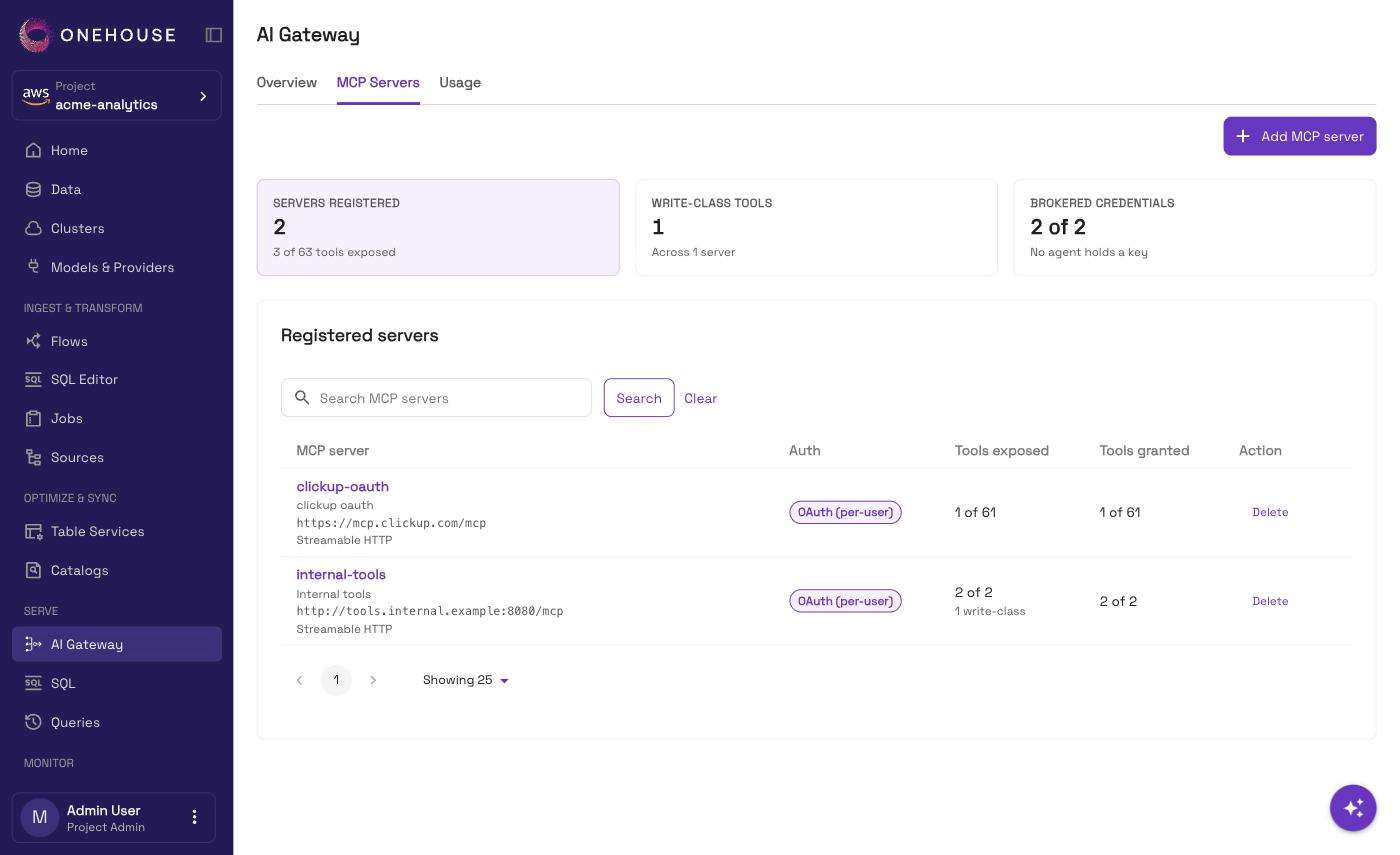
Open AI Gateway and choose the MCP Servers tab. It opens once the gateway is live. Only project admins and account admins can register, edit or delete servers, expose tools, manage grants, or sign users out.
On AWS projects, the list already holds one server you did not add: onehouse-external, the Onehouse MCP server.
Add a server
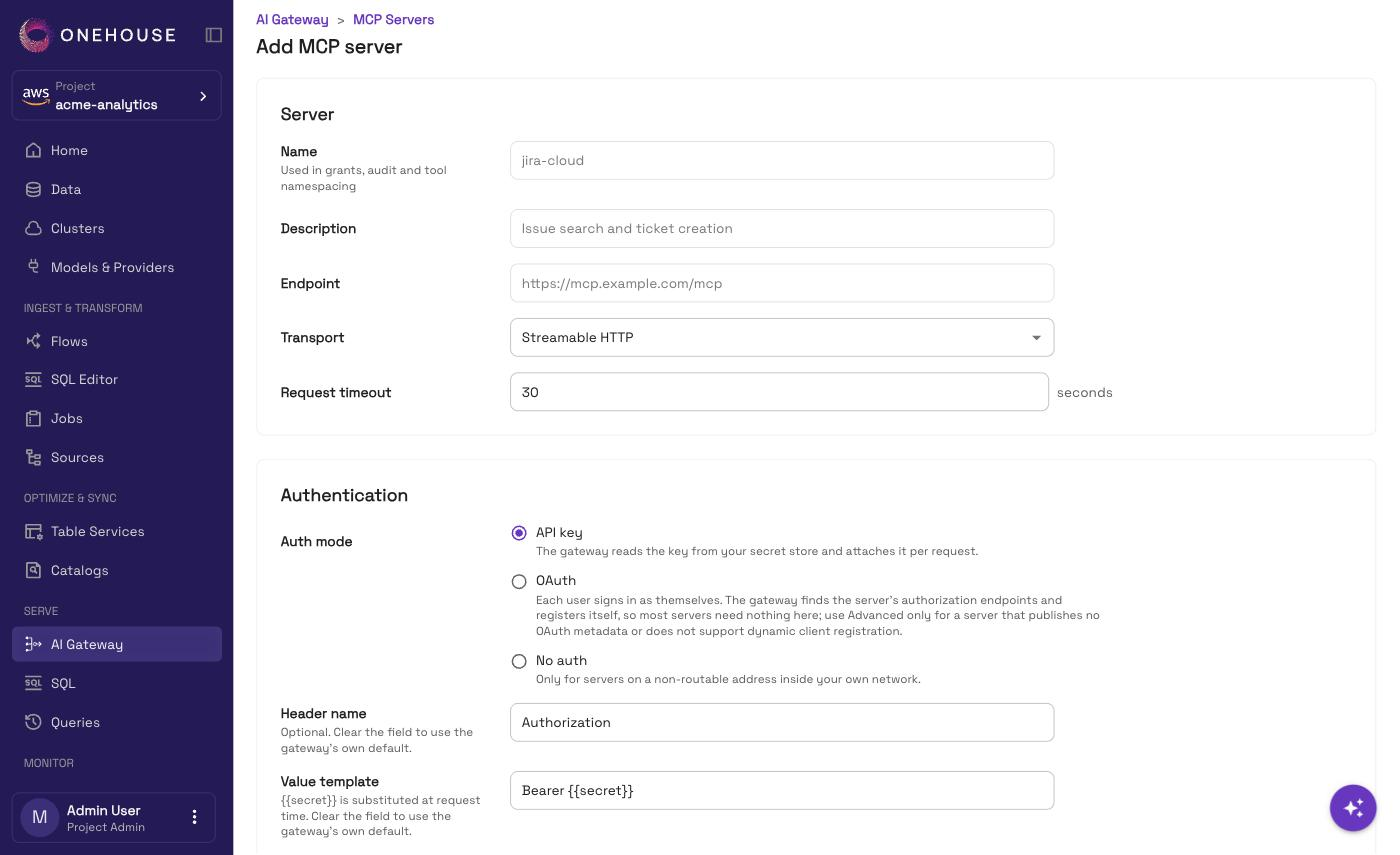
Choose Add MCP server, and fill in:
| Field | What to put |
|---|---|
| Name | Lowercase letters, digits and hyphens, up to 64 characters. It is also the tool namespace: tool search on server jira is called jira__search. |
| Endpoint | The server's URL, with https://, or http:// for an address inside your network. |
| Transport | Streamable HTTP, the only one the gateway speaks. |
| Request timeout | 1 to 300 seconds. |
| Auth mode | See below. |
| Auth mode | What it means |
|---|---|
| API key | The gateway reads the key and attaches it to each request. |
| OAuth | Each person signs in to the server as themselves, through the gateway. AWS projects only. |
| No auth | Only for servers on a non-routable address inside your own network. A public address is refused. |
An API key or an OAuth token is never sent over plain http to a public address.
The gateway holds it and presents it on the agent's behalf.
API key
- Credential type — Secret Manager to reference a secret in your own store (its ARN on AWS), or Direct credential to paste the key once and have Onehouse store it. As for providers, a Secret Manager secret on AWS needs the tag
accessibleTo=onehouse, and holds the key as JSON underapiKey. See Models & Providers. - Header name — the header the server reads the key from. Leave it empty for the gateway's default.
- Value template — what goes in that header. It must contain
{{secret}}, which is replaced by the key, for exampleBearer {{secret}}. Leave it empty for the gateway's default.
OAuth
The gateway finds the server's sign-in details on its own, so most servers need nothing more. Open Advanced OAuth settings only for a server that publishes no OAuth metadata, or does not support automatic client registration:
| Setting | Use |
|---|---|
| Authorization endpoint and Token endpoint | Set both, or neither. Together they replace discovery. Must be https when the server's endpoint is. |
| Client ID | A client you already registered with the provider. Required when you set the endpoints. |
| Client secret ARN | The secret holding the client secret, stored as plain text. Needs a client ID and a token endpoint, and is sent only to the token endpoint you entered. |
| Scopes | Separated by spaces. Leave empty for the server's default. |
People's OAuth sign-ins are kept in an encrypted vault in your data plane. It exists only on AWS projects whose customer stack has the AI Gateway credential vault turned on — the same setting enabling the gateway needs.
Discover the tools
Choose Discover tools. The gateway connects to the server and lists what it offers. Rediscover runs it again after you change a field.
| Result | Means |
|---|---|
| Connected | The tools are listed. Pick which to expose. |
| Auth failed | The server answered 401. Check the key, and that Header name is the one the server reads. |
| Unreachable | Nothing answered within the request timeout. Check the host, port and routing from your data plane. |
| Secret unreadable | The gateway could not read the secret. Check the ARN, the tag, and the read grant. |
| Empty | The server answered with no tools for this credential. Some servers list only what a token may use. |
| Blocked | No auth on a public address. Set an API key, or use an internal address. |
| Sign-in required | An OAuth server no one has signed in to yet. See below. |
Tick Expose on each tool the gateway should offer. Each tool is marked Read or Write. Save server stays disabled until at least one tool is exposed, except for an OAuth server no one has signed in to, or a server that lists no tools.
Two gates on every tool
| Gate | The question it answers | Where you set it |
|---|---|---|
| Expose | Does the gateway offer this tool at all? | The server's page — one switch per tool. |
| Grant | Who may call it? | The tool's Permissions page. See Permissions. |
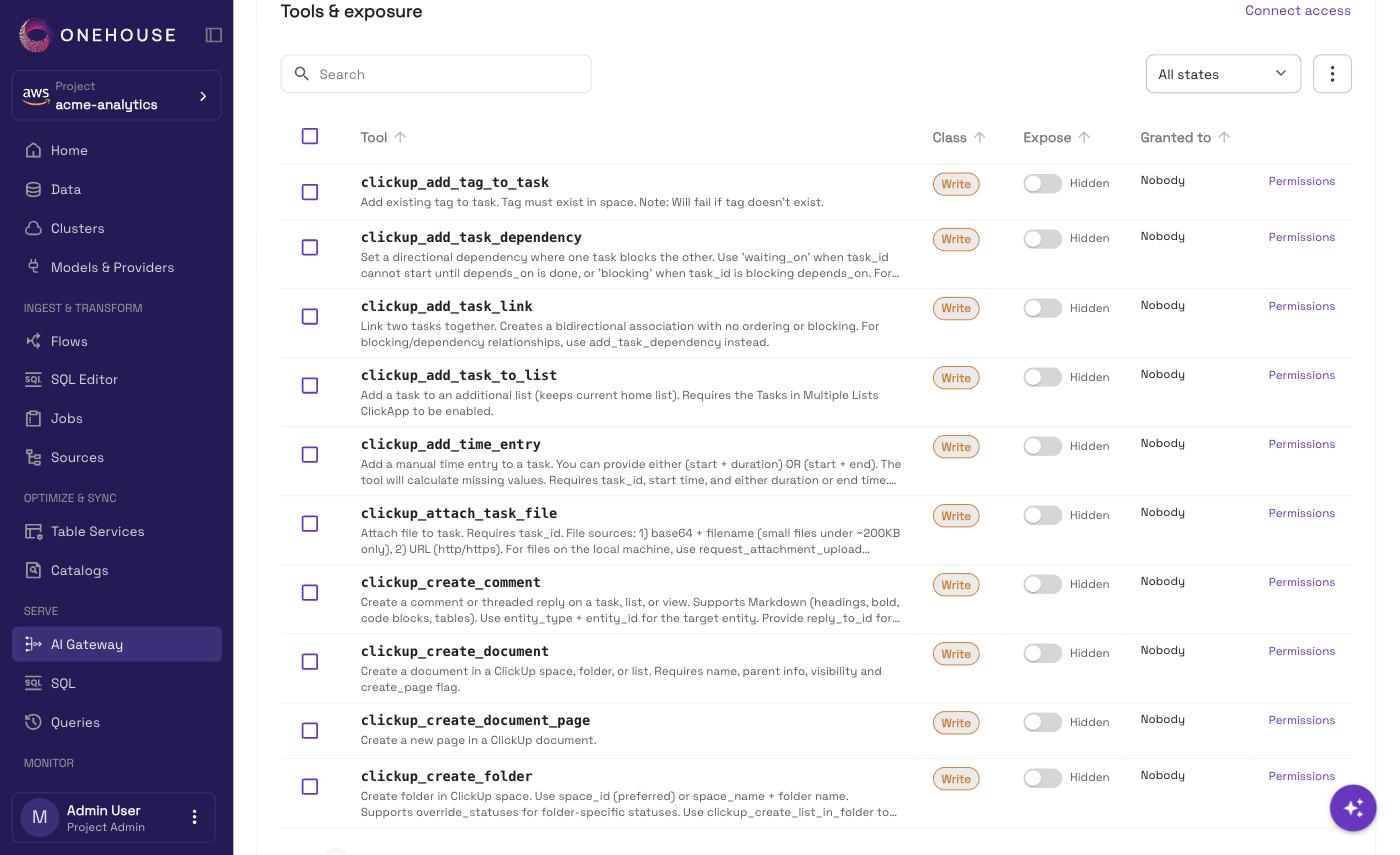
A tool you expose still needs a Call grant before anyone can use it.
Do several at once
On the server's page, select several tools to expose, hide or grant them together.
When the server's tools change
The gateway does not pick up a server's new tools on its own. Where your project has it, Rediscover tools on the server's page asks the server again and stores what changed. It may not be available on your project yet.
- New tools stay hidden until you expose them.
- A tool the server no longer lists stays exposed, with its grants, but calls to it fail. Disable it; the next rediscover removes it and revokes its grants.
- Exposure and grants on every other tool are kept.
OAuth servers: who may sign in
Someone has to sign in to an OAuth server before its tools can be used. You choose who may by granting Connect:
- from Connect access on the server's page, or
- by ticking Connect when you grant a tool.
Connect is granted per person or group. It lets them sign in; each tool still needs its own Call grant. A service principal cannot sign in, so it is not offered.
Each person signs in from their MCP client, such as Claude Code: ask it to use any of the server's tools, and it replies with a sign-in link. Until someone has signed in, the server shows Sign-in required and lists no tools. The tools then appear within about 5 minutes, or up to 30 minutes for a server registered more than a day earlier. Check for tools asks sooner. Revoking Connect also signs the person out.
Signed-in users
An OAuth server's page lists its Signed-in users and when each sign-in was last refreshed. Sign out ends a person's sign-in on every data plane. Their Connect grant stays, so they can sign in again unless you revoke it.
Change or remove a server
Edit a server from its own page. If you change its address or credential, the gateway checks the server again before you can save.
Deleting a server removes its tools and revokes every grant on them. Agents calling those tools are then refused. Registering the server again rediscovers its tools but does not restore the grants.