Usage
See who is using the gateway, and through which model.
Open AI Gateway and choose the Usage tab.
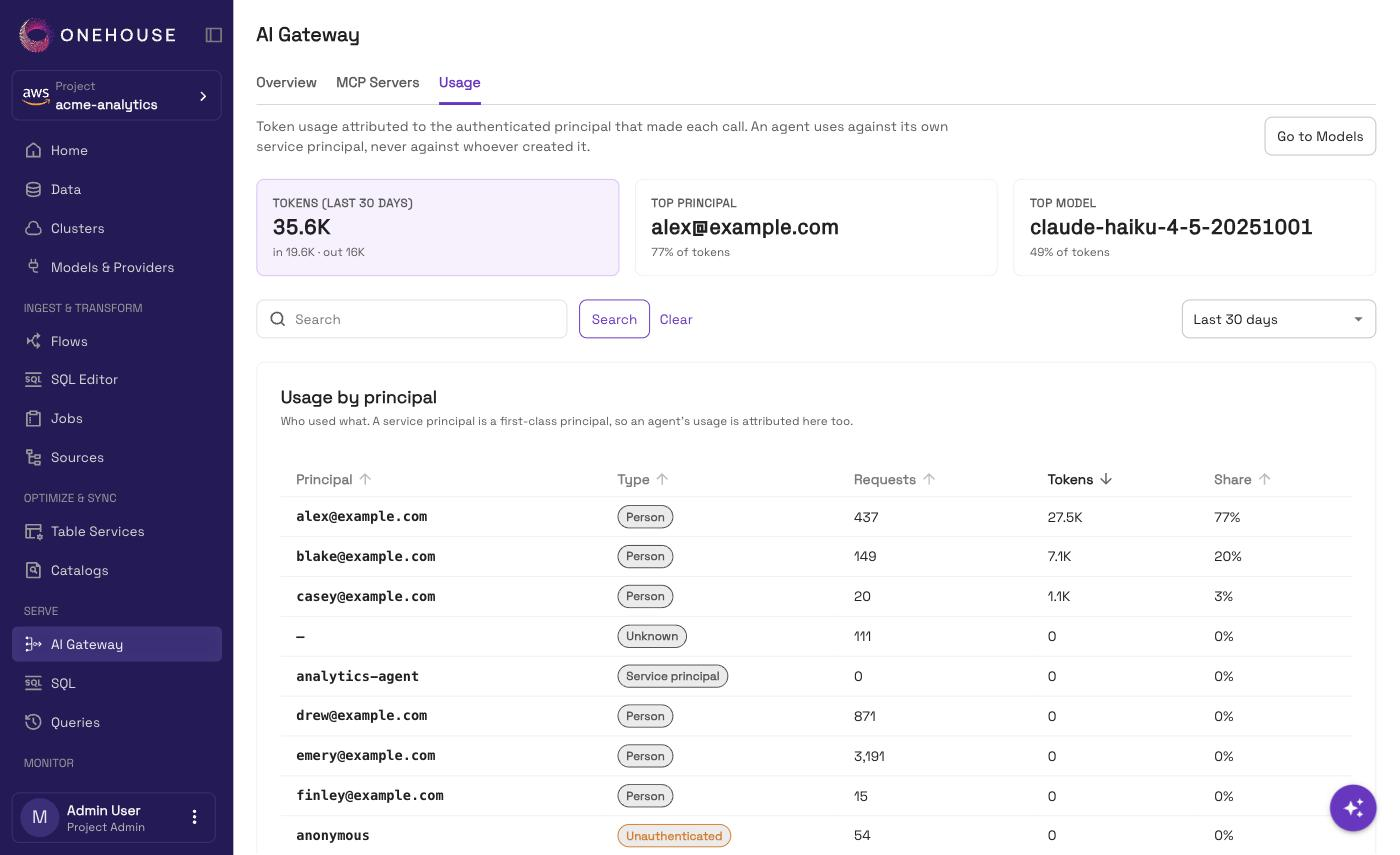
Pick a window
Choose Last 7 days, Last 30 days or This billing month. Everything on the page follows that window. One search box narrows both tables at once, by caller or by model. It applies when you choose Search or press Enter.
What the page shows
| Part | What it tells you |
|---|---|
| Tiles | Total tokens, split into input and output, plus the top principal and the top model. |
| Usage by principal | Each caller, with its type, requests, tokens, and share of the total. |
| Usage by model | Each model name, the providers that actually served it, its tokens, and its share. |
Both tables open with the heaviest user first, and show at most 100 rows. The tiles' totals count every row, including those past 100.
A model that has since been removed still shows, marked Alias no longer registered: its usage was real.
Tokens, not cost
This page counts tokens. It shows no cost figure.
Who counts as a caller
| Type | Who it is |
|---|---|
| Person | Someone who signed in. Shown by email. |
| Service principal | An agent. Its usage lands on the service principal, not on whoever created it. |
| Unauthenticated | Calls made while the gateway is not checking identity. These cannot be attributed to anyone. |
| Beyond attribution cap | Callers past the attribution limit (500 distinct callers, or 10,000 caller-and-model pairs), folded into one row so the total stays exact. |
| Unknown | Older calls, recorded before the gateway logged who made them. |
Good to know
- The Usage tab opens once the gateway is live. Before that it is shown but disabled.
- Usage is kept for 30 days. A window that starts more than 30 days ago shows Time range exceeds retention and no figures at all, not a partial total. This billing month can do this late in a 31-day month; pick Last 30 days instead.
- This data plane does not report usage yet means the gateway on your data plane is too old to attribute usage. Ask Onehouse support to update it.
Related
- Models & Providers — the models these figures refer to
- Agent access — the service principals that show up here