7. Permissions
Nothing is reachable until you say so.
The gateway denies by default. A caller gets through only when there is a grant for exactly what it is asking for.
Grants are narrow
| Can be granted | Cannot be granted |
|---|---|
| A model you published | A model provider |
| An individual tool | All of a server's tools at once |
| Connect on an OAuth server — the right to sign in to it |
Granting is deliberately narrow. There is no way to allow a whole provider or every tool on a server in one stroke, because a server can add a tool tomorrow that you never agreed to. Connect lets a person sign in to an OAuth server; each tool still needs its own Call.
What you can grant
On a model
| Privilege | Allows |
|---|---|
| Describe | Seeing the model, its routing and its health. Cannot send a request. |
| Invoke | Sending requests to it. This is what an agent needs. |
| Alter | Changing its routing. |
| Drop | Deleting it. |
On a tool
| Privilege | Allows |
|---|---|
| Describe | Seeing the tool and what it takes. Cannot call it. |
| Call | Calling the tool. This is what an agent needs. |
None of them includes another. Alter does not give Invoke, and Invoke does not give Describe — so an operator can manage a model's routing without being able to spend on it.
All grants every privilege on the model or tool. It cannot be combined with others in one grant: clear the others first.
You can grant to people, groups and service principals.
Grant access to a model
On Models & Providers → Models, open the model, go to its Permissions tab and choose Grant Access.
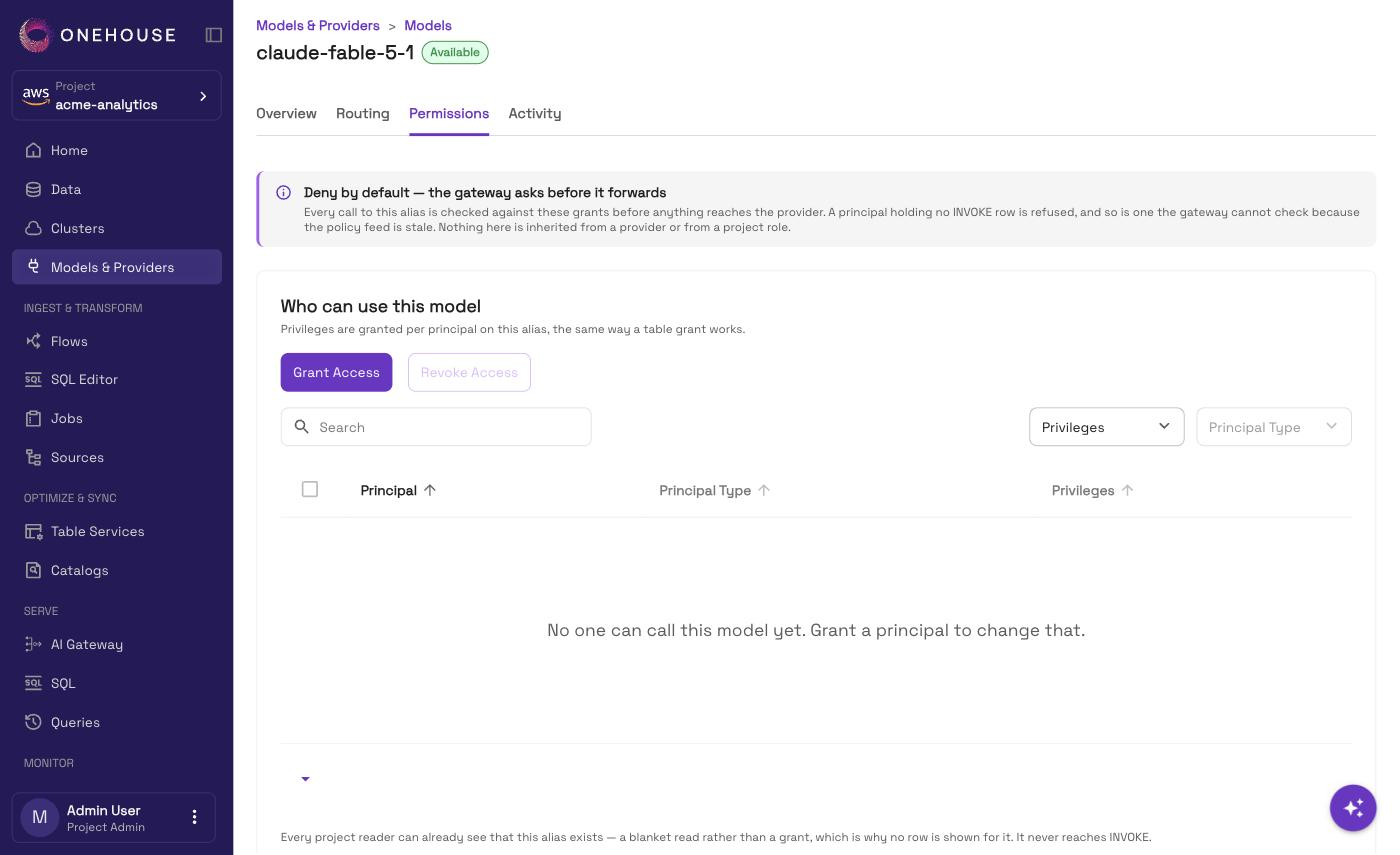
You can also grant while you publish a single model, from the Permissions step of Add a model.
Grant access to a tool
A tool must be exposed before a grant does anything — see Tool servers.
On AI Gateway → MCP Servers, open the server, then the tool, and grant from its Permissions page.
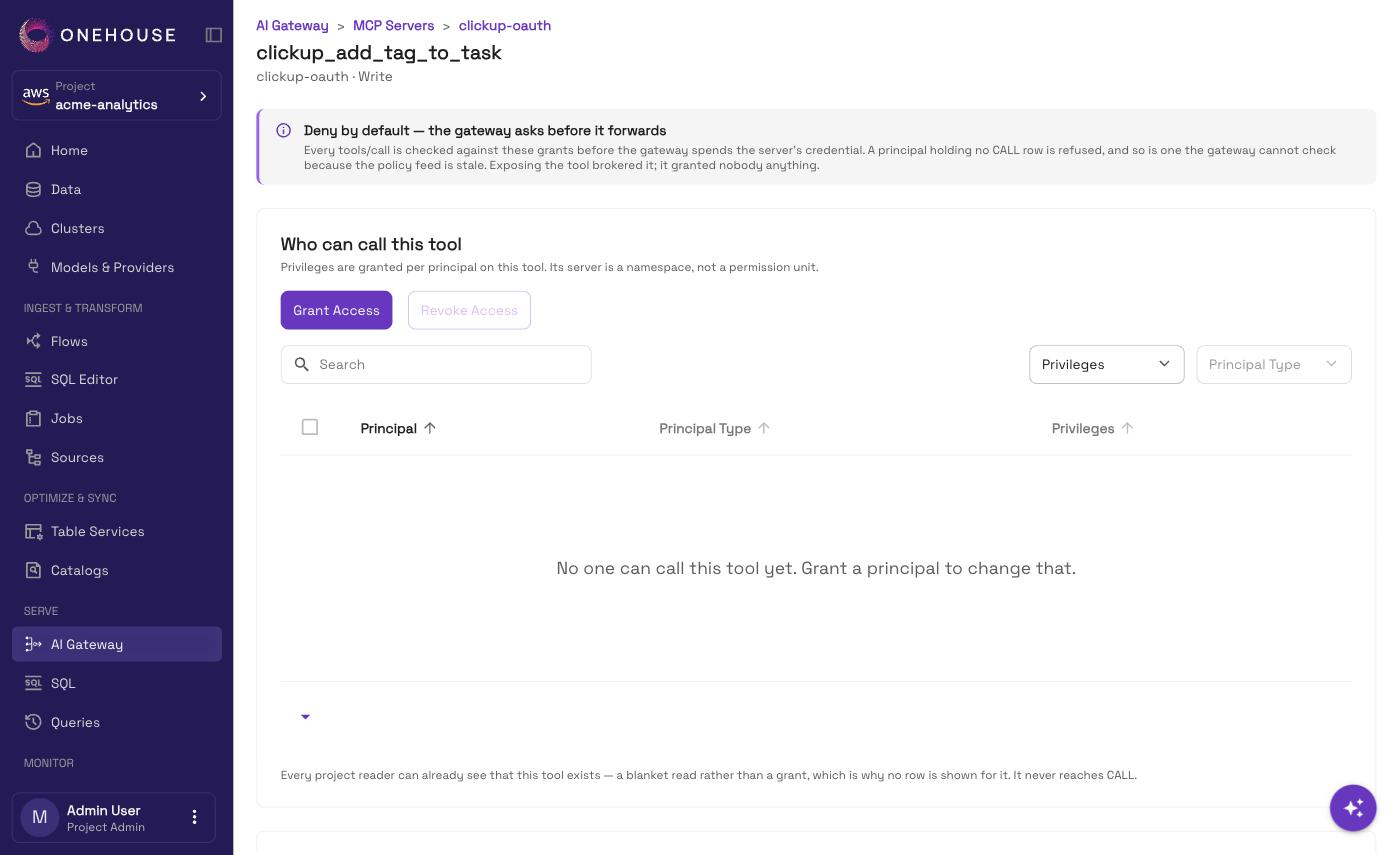
Select tools on the server's page and grant them together. It writes one grant per tool — nothing is inherited, so a tool the server adds later still needs its own grant.
What a refused caller sees
A caller with no grant on the model it named, or on the tool it called, is refused with a message saying so. It is not a silent failure and not an empty response.
Project admins, account admins and readers can see in the console that a model or tool exists. That alone never lets them call it. Other project members cannot see the console pages at all.
A model you just published, and a tool you just exposed, reach nobody. This is the intended state — grant deliberately.
Who can change permissions
Granting and revoking are for project admins and account admins. A project reader or account reader sees what is granted, marked View-only access, but cannot change it. Other project members cannot see it.