Dataplane IdP
Dataplane IdP is the identity service that runs inside a project's own data plane. It issues and validates the credentials that data-plane services accept — so until it is running for a project, nothing in that project can authenticate.
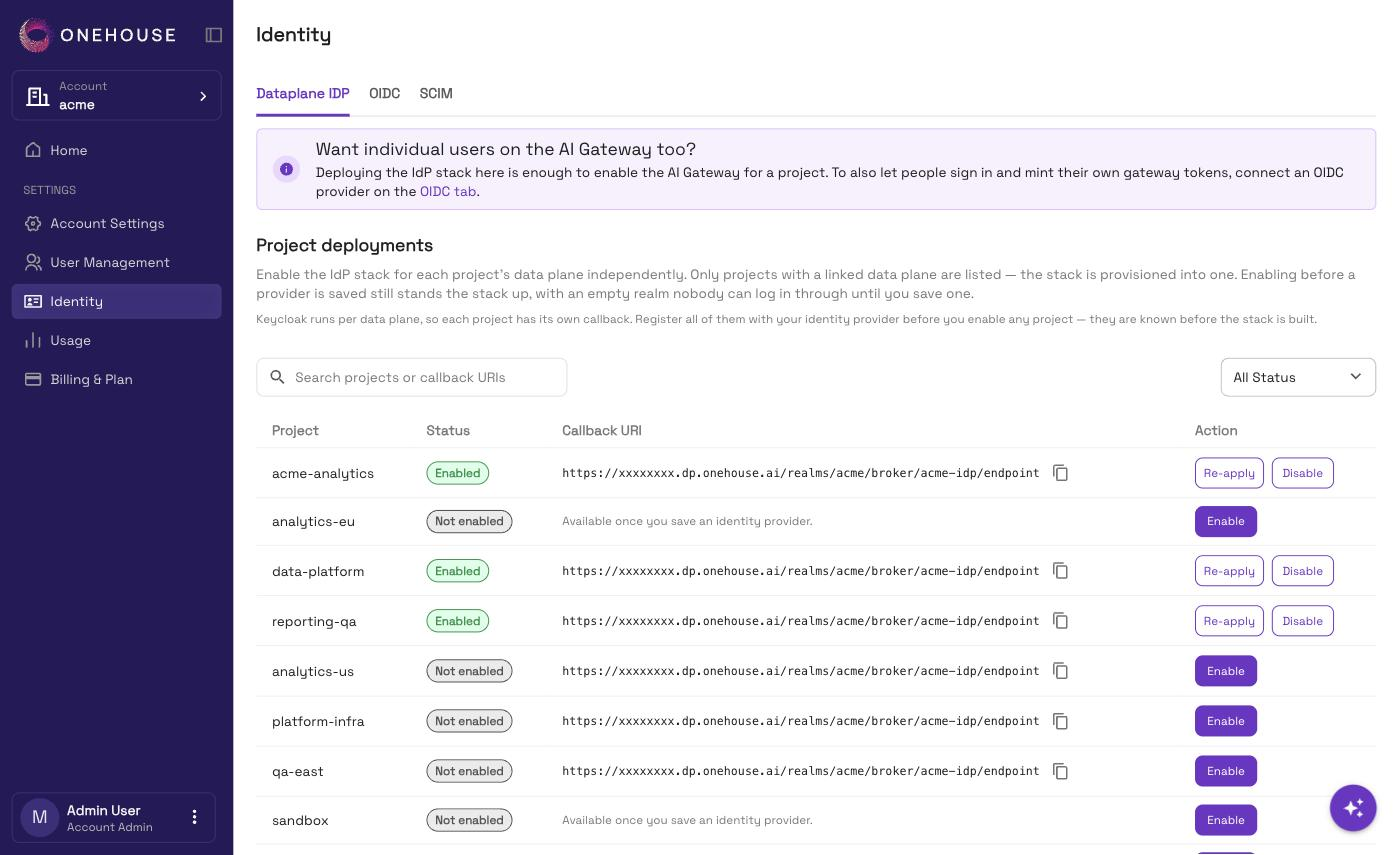
You switch it on per project, from the Dataplane IDP tab — the first tab on Account Settings → Identity.
Deploying the identity service is all the AI Gateway needs before you can enable it. Connect an identity provider on the OIDC tab only if people — not just agents — will sign in.
Why it is per project
The identity service runs per data plane, not once per account. Each project therefore gets its own instance and its own callback address, and has to be enabled on its own.
An identity provider is saved once for the whole account, but the service that honours it is not shared — that part is per project.
Enable it
- Go to Account Settings → Identity.
- Open the Dataplane IDP tab.
- Find the project in the Project deployments table, and choose Enable.
Provisioning takes a few minutes, and the status updates by itself when it finishes.
| Status | What it means | What you can do |
|---|---|---|
| Not enabled | No identity service in this project's data plane. Nothing there can authenticate. | Enable |
| Provisioning | Being stood up now. | Wait |
| Enabled | Running. | Disable |
| Failed | Provisioning did not finish. | Retry — hover the status for the reason |
A project must reach Enabled before any data-plane service can authenticate anyone. This is true even when you have saved no identity provider — a headless agent authenticates against this service directly.
Disabling tears the identity service down in that project's data plane, and its database goes with it. Everyone who linked their sign-in in that project loses the link, and enabling again starts from empty.
If people will sign in
Two things to do first, both on the OIDC tab:
- Save your identity provider before you enable. A provider saved afterwards does not reach a project that is already enabled — you would have to disable and enable it again.
- Register each project's callback address with your identity provider. The address is shown beside each project in the Project deployments table. See Add it to your identity provider.
If only agents will use a project, you can skip both.
If a project is not listed
Only projects with a linked data plane appear. A project shows up once its data plane has finished linking.
Related
- OIDC Federation — connecting your identity provider
- AI Gateway — Identity setup — the gateway's prerequisite, step by step
- Single Sign-On — signing in to the Onehouse console