LakeCache Clusters
LakeCache Clusters provide a low-latency query engine for interactive SQL queries on your tables. LakeCache is optimized for fast read queries, and automatically scales compute resources based on query load.
This feature is in beta, and might not yet be available in your project. Currently, AWS projects are supported, with GCP support coming soon.
Key Features
- Low-latency SQL queries: Execute interactive SQL queries in seconds
- Automatic scaling: Scales compute resources by adding or removing entire engines based on query load
- Concurrency: Supports concurrent workloads by scaling out to multiple engines
- OAuth authentication: Secure access using OAuth with support for Okta, Microsoft Entra, Google, and other identity providers
- Catalog integration: Works with AWS Glue and Onehouse catalogs
- Access control integration: Integrates with AWS Lake Formation for table-level access control (available only when using AWS Glue catalog)
- BI tool integration: Connect using Postgres JDBC drivers with tools like DBeaver, Tableau, PowerBI, and Looker
Create a LakeCache Cluster
When creating a LakeCache Cluster, you'll configure the following:
Engine Size
Select an engine size that determines the compute resources for each engine. Engine sizes are available in t-shirt sizes:
2x-smallx-smallsmallmediumlargex-large2x-large3x-large4x-large
Each engine has a fixed structure: one driver and a fixed number of workers determined by the engine size. The engine size maps to specific instance types for the driver and workers, and determines the number of workers per engine. Instance types and the number of workers per engine are fixed and cannot be modified.
LakeCache scales at the engine level, not at the worker level. When scaling, entire engines (each with a fixed driver and fixed number of workers) are added or removed based on query load.
AWS Instance Configuration
| Engine Size | Drivers | Executors | Driver Instance | Worker Instance | Cache Size per Engine |
|---|---|---|---|---|---|
| 2x-small | 1 | 1 | r8gd.xlarge | r8gd.xlarge | 236 GB |
| x-small | 1 | 1 | r8gd.xlarge | r8gd.2xlarge | 355 GB |
| small | 1 | 1 | r8gd.2xlarge | r8gd.4xlarge | 712 GB |
| medium | 1 | 1 | r8gd.4xlarge | r8gd.8xlarge | 1,425 GB |
| large | 1 | 1 | r8gd.4xlarge | r8gd.16xlarge | 2,375 GB |
| x-large | 1 | 2 | r8gd.8xlarge | r8gd.16xlarge | 4,750 GB |
| 2x-large | 1 | 4 | r8gd.8xlarge | r8gd.16xlarge | 8,550 GB |
| 3x-large | 1 | 8 | r8gd.8xlarge | r8gd.16xlarge | 16,150 GB |
| 4x-large | 1 | 16 | r8gd.8xlarge | r8gd.16xlarge | 31,350 GB |
AWS R8GD instances include local NVMe SSD storage. LakeCache uses half of the total NVMe storage for caching Parquet files. The cache size shown is the total cache available per engine (driver + all workers combined).
GCP Instance Configuration (Coming Soon)
GCP support for LakeCache is coming soon. If you'd like early access, please reach out to the Onehouse team.
| Engine Size | Drivers | Executors | Driver Instance | Worker Instance | Cache Size per Engine |
|---|---|---|---|---|---|
| 2x-small | 1 | 1 | n2d-standard-4 | n2d-standard-4 | Coming Soon |
| x-small | 1 | 1 | n2d-standard-4 | n2d-standard-8 | Coming Soon |
| small | 1 | 1 | n2d-standard-8 | n2d-standard-16 | Coming Soon |
| medium | 1 | 1 | n2d-standard-16 | n2d-standard-32 | Coming Soon |
| large | 1 | 1 | n2d-standard-16 | n2d-standard-64 | Coming Soon |
| x-large | 1 | 2 | n2d-standard-32 | n2d-standard-64 | Coming Soon |
| 2x-large | 1 | 4 | n2d-standard-32 | n2d-standard-64 | Coming Soon |
| 3x-large | 1 | 8 | n2d-standard-32 | n2d-standard-64 | Coming Soon |
| 4x-large | 1 | 16 | n2d-standard-32 | n2d-standard-64 | Coming Soon |
Autoscaling Configuration
- Min Engines: Minimum number of engines that will always be running
- Max Engines: Maximum number of engines the Cluster can scale to
Catalog Configuration
Select the catalog containing your tables:
- Onehouse Managed: Use the built-in Onehouse catalog (default)
- AWS Glue: Connect to an AWS Glue catalog
Permissions Enforcement
Configure how access control is enforced:
- None: No access control enforcement (default)
- Lake Formation: Use AWS Lake Formation for table-level access control (available only when using AWS Glue catalog). Row-level and column-level permissions are not yet supported.
LakeFormation access control is only available when using the AWS Glue catalog. When using the Onehouse catalog, access control enforcement is not yet supported.
Connect to a LakeCache Cluster
LakeCache Clusters expose a JDBC endpoint that you can connect to using standard PostgreSQL drivers. The Cluster uses PostgreSQL 18 with OAuth authentication support.
Networking Prerequisites
Connect from within the VPC
By default, LakeCache Clusters only accept traffic from within your VPC. You can submit queries to a LakeCache Cluster endpoint from clients within your VPC.
To submit queries with LakeCache clients outside the VPC, such as your local machine, follow these steps to connect through a VPN or bastion host.
Connect cloud tools
By default, LakeCache Clusters do not accept traffic from outside your VPC. For cloud tools that support SSH tunneling, follow these steps to connect through a bastion host.
If you must connect through a cloud tool outside the VPC that does not support SSH tunneling, such as dbt Cloud, please contact Onehouse support.
Get Connection Details
- In the Onehouse console, open the Clusters page and click into your LakeCache Cluster
- After the Cluster is provisioned (which may take a few minutes), you will see a LakeCache Cluster endpoint in the Onehouse console. Here you will see:
- Connection host
- Username
- Password
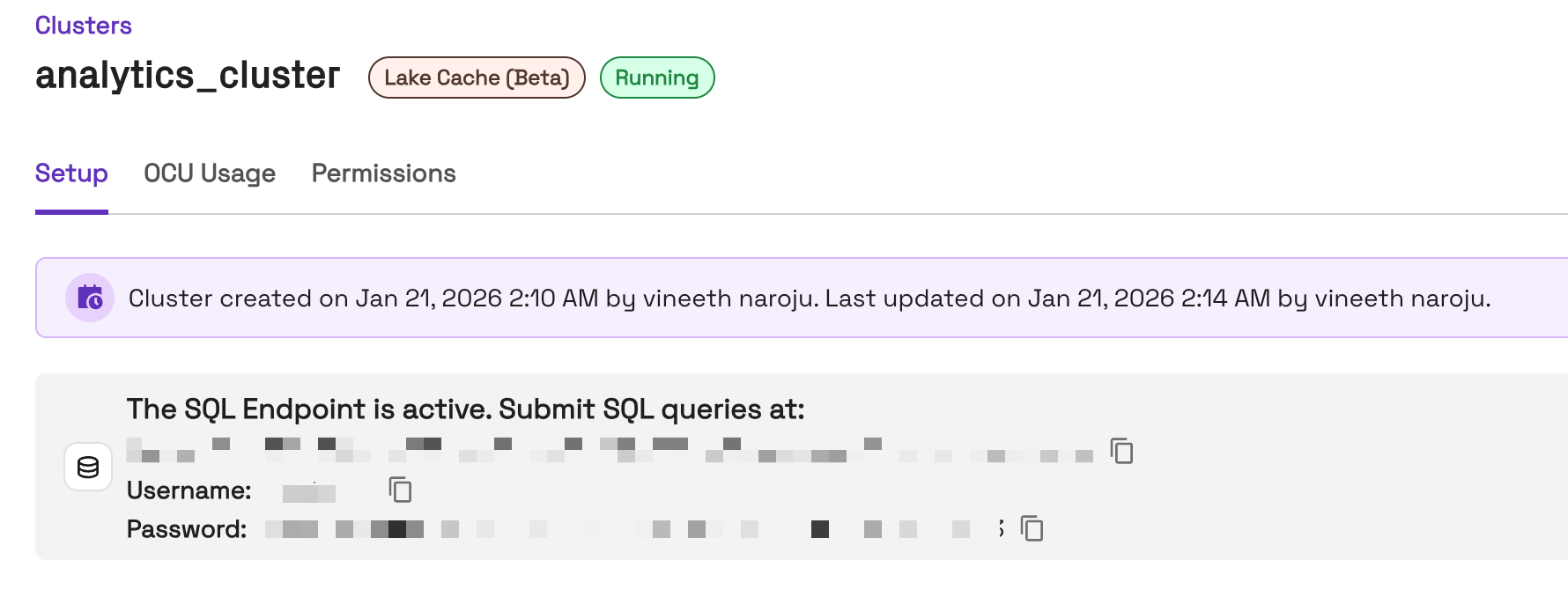
- If the Cluster's catalog is Glue and Lake Formation enforcement is enabled, you will authenticate via your Identity Provider to generate your JDBC connection password. Follow the link from the Onehouse console to authenticate.
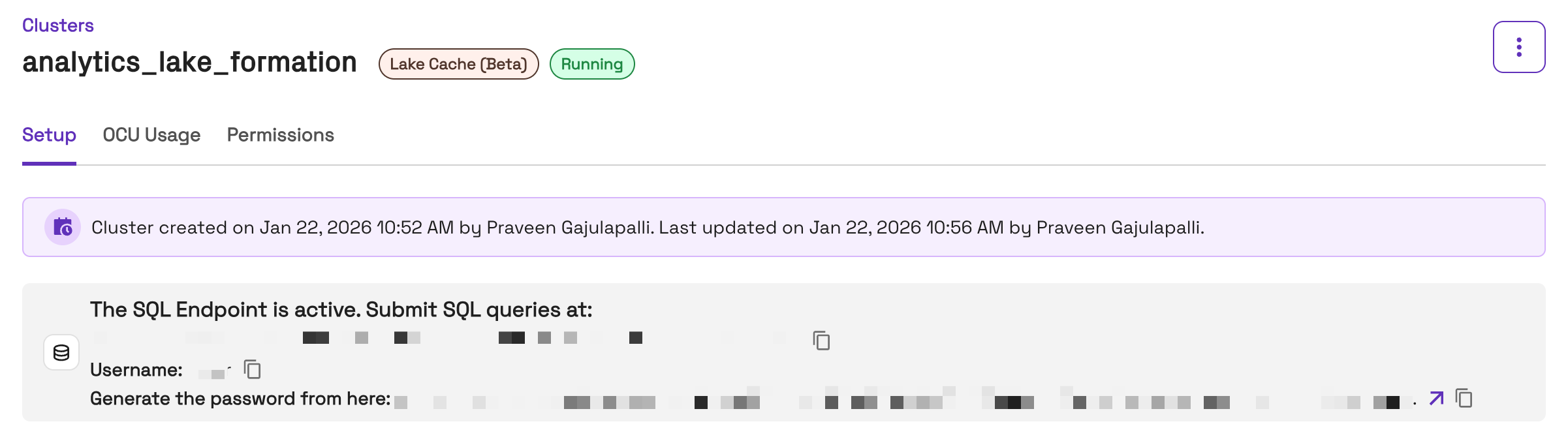
- If the Cluster's catalog is Glue and Lake Formation enforcement is enabled, you will authenticate via your Identity Provider to generate your JDBC connection password. Follow the link from the Onehouse console to authenticate.
Connect with JDBC
Use a standard PostgreSQL JDBC driver to connect. You'll need the following connection parameters from your Cluster's connection details:
| Parameter | Description |
|---|---|
| Host | The connection host from your Cluster details |
| Port | 5432 |
| Database | postgres (or your specific database name) |
| Username | The username from your Cluster details |
| Password | The password from your Cluster details |
Connecting with Lake Formation
When using Lake Formation for access control, you can optionally specify an IAM role to assume for querying. If you don't specify a role, the first IAM role from your authentication token is used by default.
To specify a different IAM role, add it to the connection using the options parameter:
jdbc:postgresql://host:5432/postgres?options=-c onehouse.lake_cache_iam_role=arn:aws:iam::account:role/role-name
Example with DBeaver:
- Open your connection settings
- Go to the Driver Properties tab
- Add a new property with name
options - Set the value to
-c onehouse.lake_cache_iam_role=arn:aws:iam::account:role/role-name
Connect with psql
Example psql connection:
psql "host=host port=5432 dbname=postgres options='-c onehouse.lake_cache_iam_role=arn:aws:iam::account:role/role-name' user=db_user oauth_issuer=https://your-idp.com oauth_client_id=your_client_id oauth_scope=openid profile email"
When connecting, you'll receive a device token. Visit the activation URL provided and enter the code to complete authentication.
Query Execution
While LakeCache Clusters use PostgreSQL JDBC drivers for connectivity, queries are executed using Spark SQL under the hood. You should use Spark SQL syntax when writing queries, even if your client shows warnings about PostgreSQL syntax.
Once connected, you can submit SQL queries directly to the LakeCache Cluster. The Cluster will:
- Parse and validate the query
- Check permissions using the configured access control provider (if enabled)
- Route the query to an available engine
- Execute the query with caching optimizations
- Return results via the JDBC connection
Query Caching
LakeCache implements multiple layers of caching to improve query performance:
- File caching: Frequently accessed Parquet files are cached in memory and on SSD
- Query result caching: Deterministic query results are cached at the driver and worker levels
Query result caching only applies to deterministic queries (queries without non-deterministic functions like rand() or timestamp-related functions) and only when the underlying tables have not been updated since the result was cached.
Monitoring
You can view OCU Usage for the Cluster in the Onehouse console.
Coming soon
In an upcoming release, you will be able to monitor your LakeCache Cluster through:
- Query execution logs: View query history and execution details
- Performance metrics: Track query latency and throughput
- Cluster metrics: Monitor CPU utilization and autoscaling behavior
Contact us if any of these logs/metrics or other observability would be useful for you.
Limitations
- Currently supports read-only queries. Write operations are not supported.
- Access control for Onehouse catalog is not yet supported. Use AWS Glue with Lake Formation for access control.
- Lake Formation access control supports table-level permissions only. Row-level and column-level permissions are not yet supported.
- Tables must be registered in the selected catalog to be queryable.
- Auto-stop is not yet supported. LakeCache Clusters must be stopped manually and cannot yet be configured to automatically stop after a period of inactivity.