User-Defined Functions (UDFs)
Java and Scala UDFs are currently supported. Use the CREATE FUNCTION command to create a function that can execute code from a JAR.
Step 1: Upload code
Upload your code as a JAR file in the Onehouse console under Settings > Project Settings > Integrations > Manage JARs. When you upload the JAR, Onehouse will add it to your cloud storage bucket under the path:
onehouse-customer-bucket-<REQUEST_ID_PREFIX>/hudi_configs/custom_jar/jar_name.jar
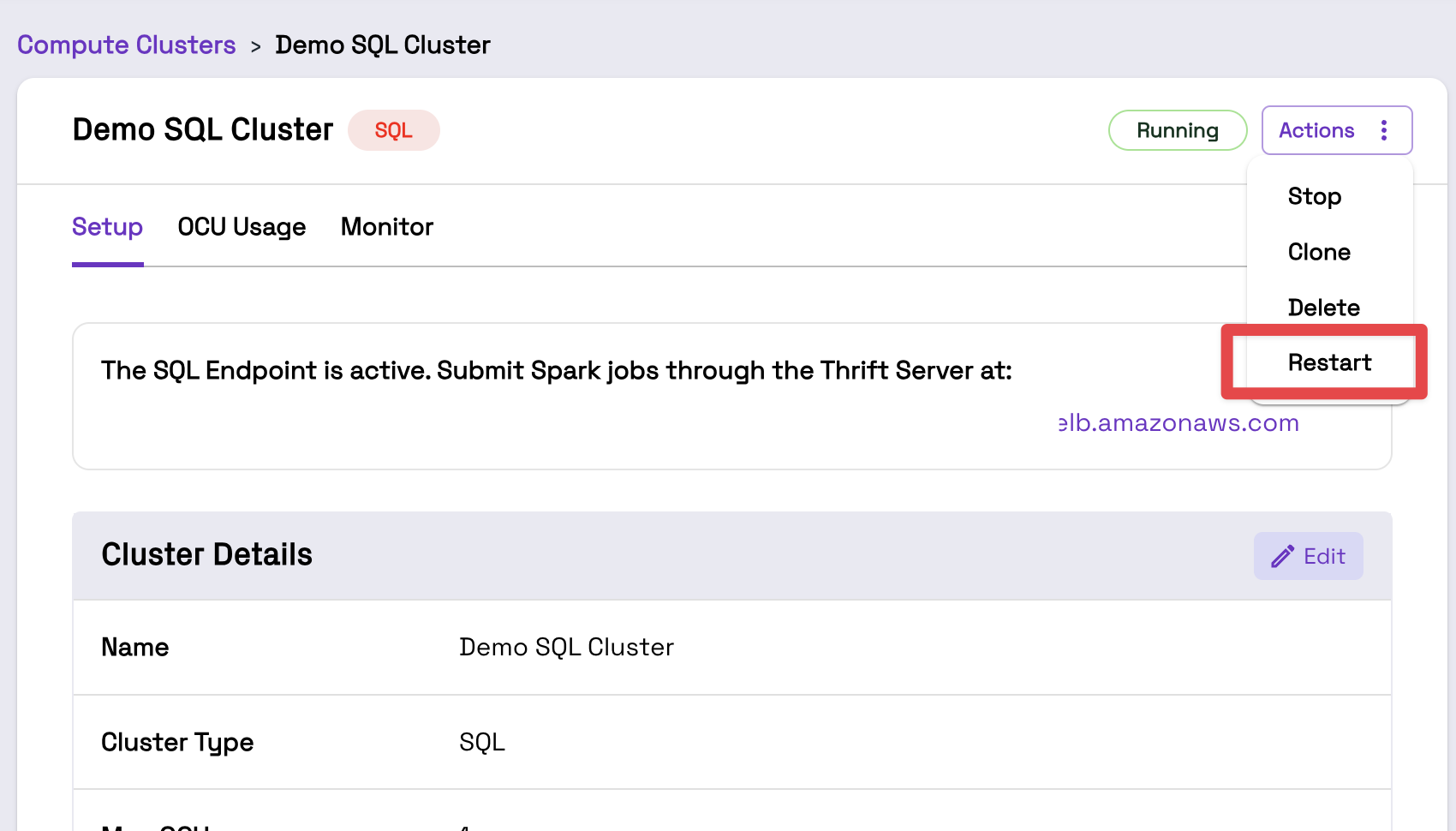
Step 2: Restart SQL Cluster(s)
Restart your SQL Cluster(s) to automatically add the new JARs to the Clusters' classpath. You can do this from the Cluster page in the Onehouse console. Note that triggering a Cluster restart will kill all in-progress queries.
Step 3: Create the funciton
Now, you create a UDF referencing the JAR files in your SQL queries.
Syntax:
CREATE [ OR REPLACE ] [ TEMPORARY ] FUNCTION [ IF NOT EXISTS ]
    function_name AS class_name [ resource_locations ]
Example:
--Create the UDF by referenceing your JAR file
CREATE FUNCTION simple_udf AS 'SimpleUdf'
    USING JAR 's3a://onehouse-customer-bucket-12345/hudi_configs/custom_jar/SimpleUdf.jar';

--Invoke the UDF
SELECT simple_udf(c1) AS function_return_value FROM test;