Amazon Web Services
Screenshots on this page may be outdated and should be reviewed before publishing.
The Onehouse infrastructure deployment follows two steps:
- Onehouse Customer Stack — Deploys the IAM roles and permissions which allow Onehouse to operate the platform. Can be deployed using Terraform or CloudFormation.
- Onehouse Kubernetes Deployment — Uses the IAM roles provisioned in the Customer Stack to deploy the Onehouse dataplane EKS cluster. This starts automatically after step 1.
Step 1: Deploy the Customer Stack
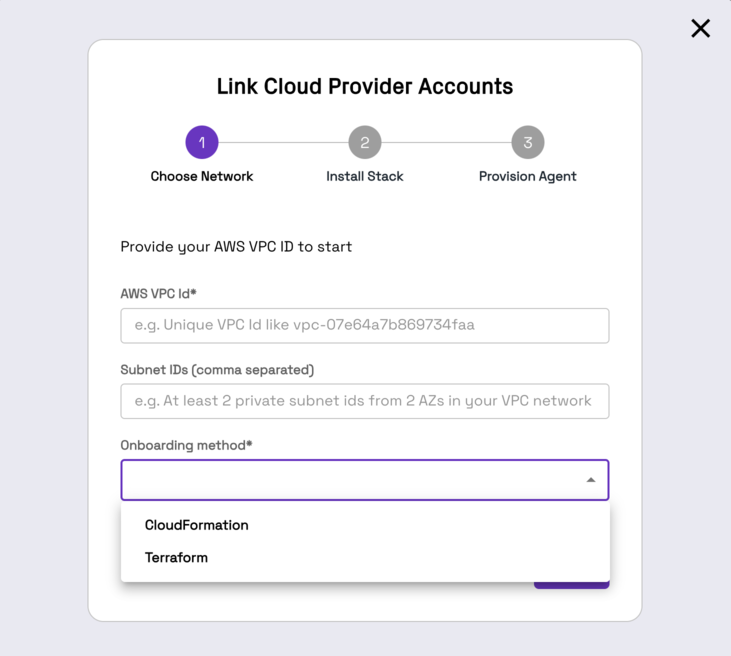
Provide your AWS VPC ID, two private subnets within that VPC, and choose your IaC method.
Terraform
Prerequisites
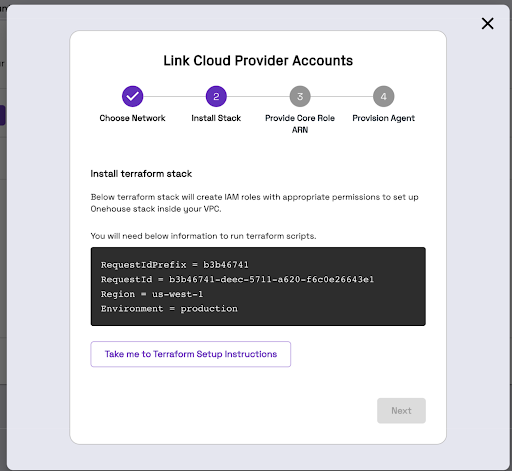
Create an S3 bucket to hold Terraform artifacts before deploying the customer stack: onehouse-customer-bucket-<RequestIdPrefix>. This bucket stores configs and Terraform state. You can find the RequestIdPrefix in the Onehouse UI installation steps.
Install Terraform Stack
You will need administrator-level privileges. The Terraform script generates IAM roles and attaches policies.
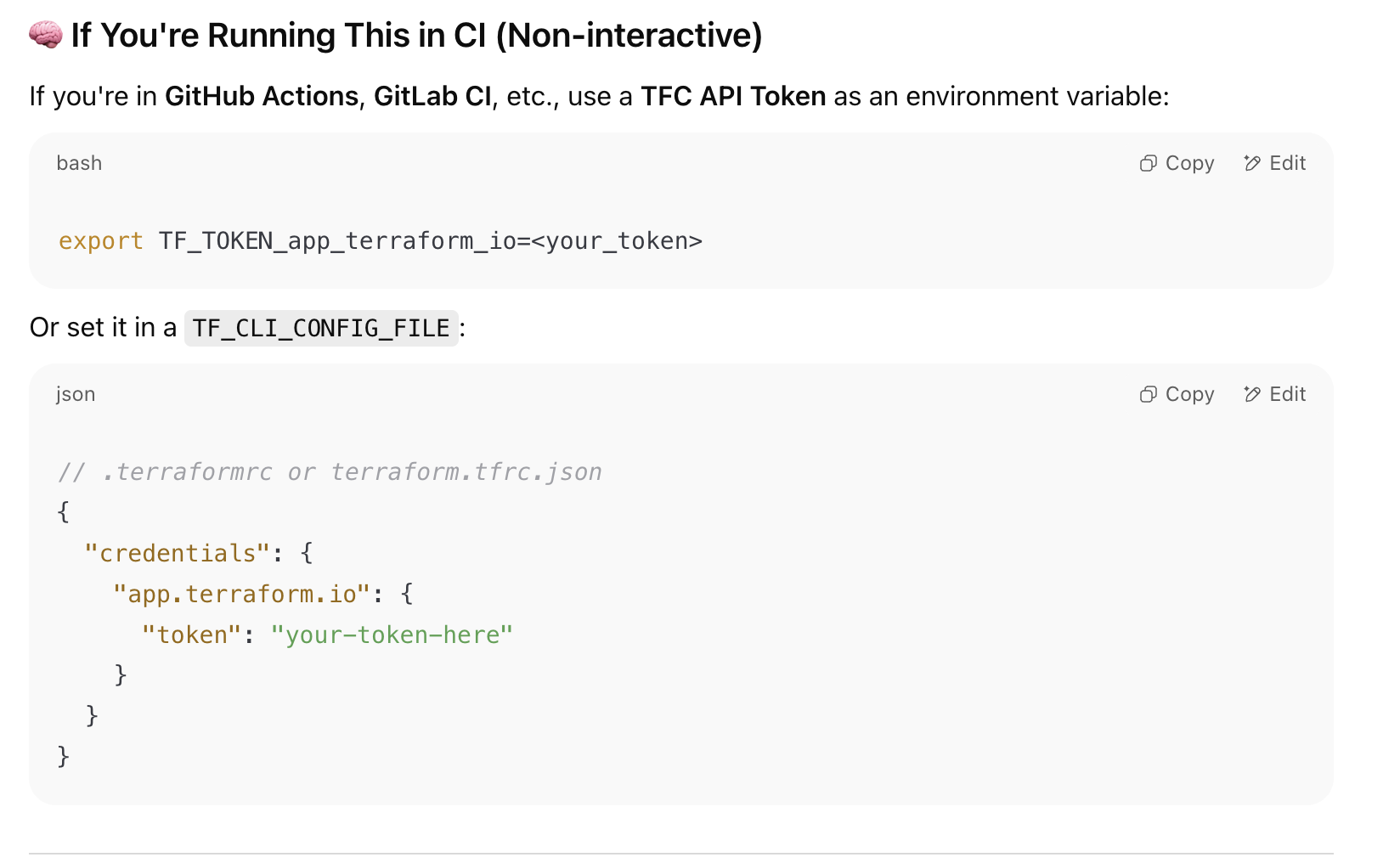
- The Terraform module is hosted on a private registry. Reach out to your Onehouse POC to get a Terraform Cloud token, then authenticate:
- Create a directory with the following structure in a Linux or UNIX environment authenticated to your AWS account:
my-terraform-project/
├── main.tf
├── variables.tf
└── backend.tf
backend.tf
To use a custom S3 bucket for Terraform state instead of onehouse-customer-bucket-<REQUEST_ID_PREFIX>, update the bucket field. region must always be updated.
terraform {
   required_version = "1.11.0"
   required_providers {
     aws = {
       version = "5.82.0"
     }
   }
   backend "s3" {
     bucket = "onehouse-customer-bucket-${REQUEST_ID_PREFIX}"
     key    = "onboarding/terraform/preboarding/onehouse.tfstate"
     region = "${REGION}"
   }
}

provider "aws" {
    region = "${REGION}"
}
main.tf
Update TERRAFORM_MODULE_VERSION:
module "customer-stack" {
    source  = "app.terraform.io/Onehouse/customer-stack/aws"
    version = "${TERRAFORM_MODULE_VERSION}"
    # insert required variables here
}

output "core_role_arn" {
  value = module.customer-stack.core_role_arn
}
Terraform Variables
| Variable | Description | Default |
|---|---|---|
| productFlow | Product flow. Values: core, lite | core |
| region | [Required] Region of the EKS cluster | |
| requestId | Onehouse requestId. Provide directly or via requestIdSecretManager. | |
| requestIdSecretManager | Provide requestId via Secrets Manager (enabled + secretArn). | enabled = false |
| environment | [Required] Onehouse environment. Values: production | |
| s3BucketArns | [Required] S3 bucket ARNs for Onehouse access. Example: arn:aws:s3:::<bucket_name> | |
| s3KmsKeys | [Optional] KMS key ARNs for encrypted S3 buckets. | [] |
| s3DataLoad | Enable to load existing data (JSON, CSV, Parquet) from S3. Grants SNS/SQS permissions. | { enabled = false } |
| mskDataLoad | Enable to capture data from Amazon MSK. | { enabled = true } |
| databaseDataLoad | Enable to load from databases (Postgres, MySQL). Requires mskDataLoad enabled. | { enabled = true } |
| glueSync | Enable to sync to AWS Glue. | { enabled = true } |
| secretsManagerConfig | Permissions for secrets/secrets-manager. Values: OMS (Onehouse managed), BYOS (bring your own secret — recommended). | |
| ascp | Enable mounting Onehouse secrets from AWS Secrets Manager. | { enabled = false } |
| kinesisDataLoad | Enable to load data from Amazon Kinesis Data Streams. | { enabled = false } |
| aclSync | Enable ACL settings sync across meta-stores via Onehouse. | { enabled = false } |
| clustersConfig | Cluster settings including Lake Formation authorization. | { enableLakeformationAuthorization = false } |
| lockProviderConfig | DynamoDB table permissions for table locking. | { enableDynamoDB = true } |
| ec2Config | EC2 configuration for bastion host, diagnostic host, and PrivateLink. VPC ID and private subnet ID required. | |
| integrations | Enable Datadog or GuardDuty integrations. | { enableDatadog = false, enableGuardduty = false } |
| karpenterSupport | Enable Karpenter support. | { enabled = true } |
| customerRoleArns | [Optional] Customer role ARNs for EKS cluster access. | [] |
| customAmiSupport | Enable custom AMI support. | { createEbsKmsKeyArn = true, ebsKmsKeyArn = "" } |
| permissions_boundary | [Optional] ARN of IAM policy for permissions boundary. Required if your AWS account enforces boundaries. | "" |
| customTags | [Optional] Custom tags for all resources. Example: { "Team" = "platform" } | |
| s3SupportBucketArns | S3 bucket paths the Onehouse support team can read. | [] |
Creating a bastion host is mandatory for cluster access. Enable bastionHostConfig under ec2Config and provide vpcID and privateSubnetID.
Run Terraform Stack
terraform init --reconfigure
terraform plan
terraform apply
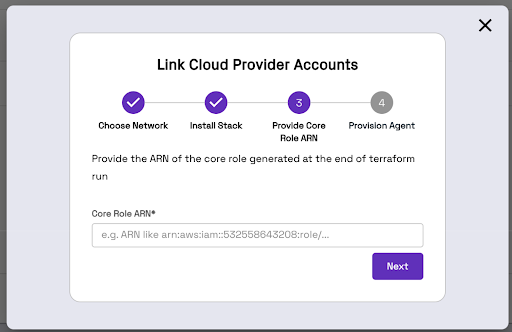
Terraform will generate an IAM Role ARN. Copy and paste this ARN into the Onehouse UI.
Migrating an Existing Terraform Stack to Private Registry Modules
If you already have a Terraform stack with created resources, migrate using the script below. The terraform state mv line is commented out intentionally — run the script first to preview the moves, then uncomment to execute.
#!/usr/bin/env bash
set -euo pipefail

if [ $# -ne 1 ]; then
  echo "Usage: $0 <wrapper_module_name>"
  exit 1
fi

WRAPPER=$1

terraform state list | grep -v '^data\.' | while read -r resource; do
  new_resource="module.${WRAPPER}.${resource}"
  echo "Moving: $resource -> $new_resource"
  #terraform state mv "$resource" "$new_resource"
done
See Release Notes for recent Terraform module changes.
CloudFormation
Install CloudFormation Stack
Click "Take me to AWS CloudFormation" and fill out the Parameters section.
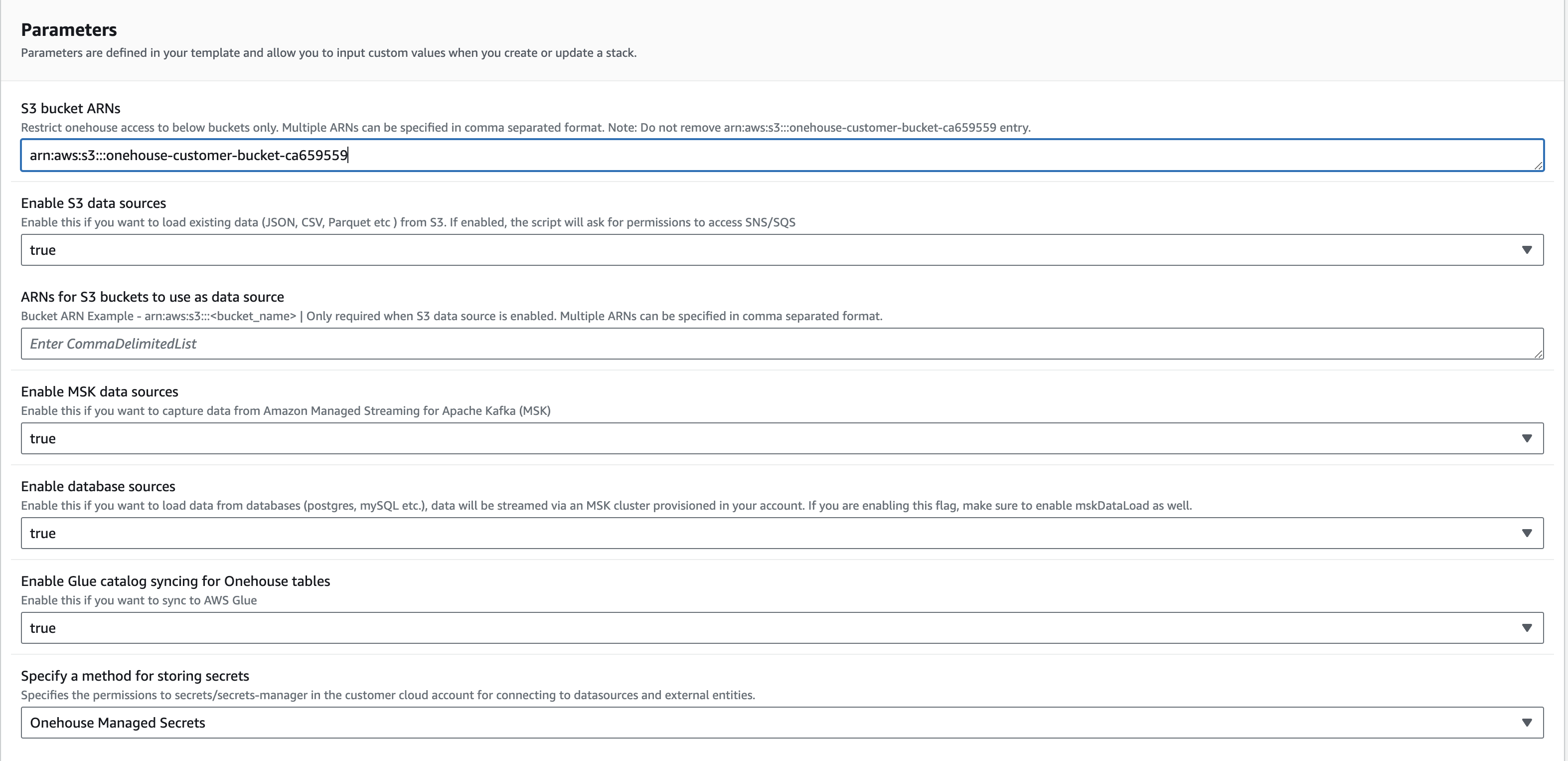
Do not change the name of the CloudFormation stack. Onehouse uses the defined name to monitor the onboarding process.
Click Create Stack. Once the stack is created, return to the Onehouse UI and click Next.
Step 2: Kubernetes Cluster Deployment
The Onehouse dataplane Kubernetes cluster creation starts automatically after the customer stack is deployed. Once finished, the wizard closes and you will see one entry in Connections > Cloud Accounts.
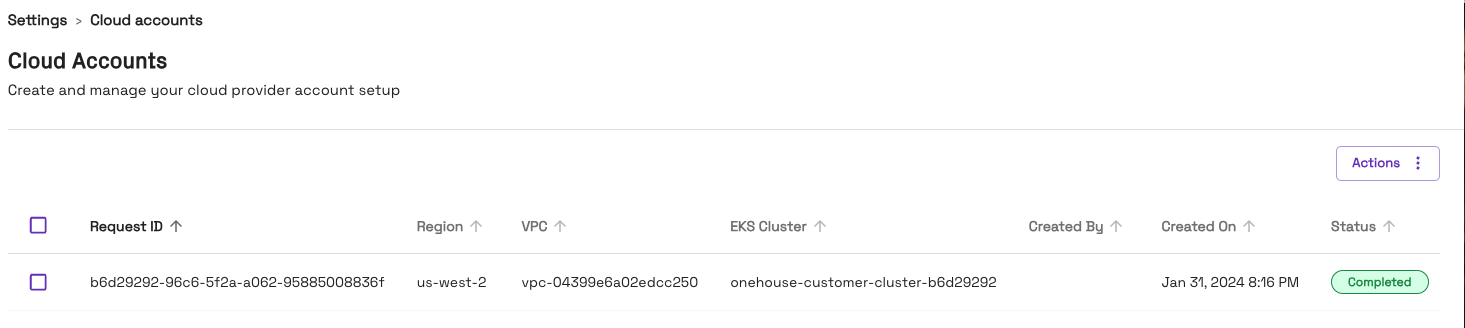
Do not close the page while provisioning is in progress. This step takes approximately 30–40 minutes. If it fails, contact your Onehouse team.